Category: WordPress Class

  • I’m Not In The Mood

    I’m Not In The Mood

    I favor Angry Russell even though he went to Madison with Aaron.


    After a few weeks of much activity I’m attempting to settle back down into a routine.  Class has started back with assignments due.  I’m moving on to another writing project while the previous one rests before it is proofed.  I could go on but let’s just say I finished one course of life and now my plate is full again with the next one.  Today I’m trying hard to wrap up the assignment get on with the post about the Liberty Graveyard Tour in Salem, Wisconsin as well as compose a few posts ahead.  I’ve got up coming surgery and want some in the bag to make posting regular through recovery.

    All these plans involve using my computer.  Since they involve large memory stuff – photos, streaming class, etc.  They require the desktop not the netbook which is fine for the writing part.  However Java, iTunes, and Microsoft all had a meeting last night and agreed to harass me today with updates. I’ve had them shut me down to update.  I’ve had updates fail.  I’ve had the screen go black as they shout at me to restart or accept or stand on my head or whatever.

    Now iTunes doesn’t work.  Microsoft keeps insisting it needs to update Microsoft Works which I don’t have.  I deleted it long ago since I have office.  Java is having conniptions and scream it needs to update when it does that’s another restart. I’m in a frustrating cycle of update me so I will no longer work for you.

    I’m about to call Geek Squad on them all! Really I don’t have the hours right now to spend with Geek Squad.  Yes I have a subscription   Yes they’ve pull my ass out of the fire more than once (well worth the subscription price) but the shortest time I’ve ever had fixing things with them has been three and half hours.  I have an assignment due before then.  As it is right now I can limp along denying everyone updates, restarts, and acknowledging errors UNTIL I’m finished.

    So consider this today’s post – one consumed by frustration and impending deadline with an uncooperative computer.  **glares over glasses**  HOWEVER, I will finish in time despite it ALL!

  • Picking Key Words for Search Engine Optimization

    Picking Key Words for Search Engine Optimization

    The last post we talked about what Search Engine Optimization (SEO) and key words are.  We had a link that would look at our site like a search engine does and tell us what it saw as key words. Now we know key words are how search engines direct people looking for those things to your website. We looked at places we can use keywords that readers don’t see but websites check.  So now we got what they are and where to put them besides using them naturally in out posts.  Now for the hard part – identifying what you want your keywords to be.

    That’s where I’m stymied.  That’s why I asked for you help as readers.  I’m trying to define my top five keywords.  The first step is defining what my site is about.   I have one for multiple reasons: to sell my writing, photography, and jewelry,  a form of creative outlet, to meet people with like interests, get feedback from on ideas,  share my love of comic books, and get some name recognition for my published works.

    Okay right there I know I want my keywords to include the following

    • my name
    • my published works
    • jewelry
    • my photographs
    • comic book reviews/commentary

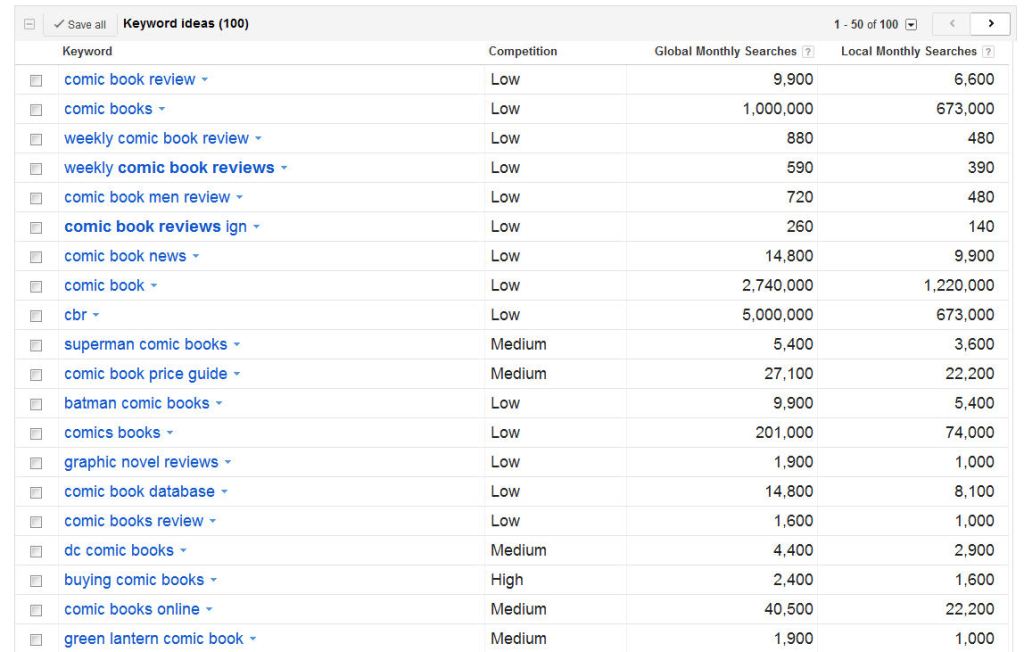
    But those aren’t going to be five key words.  Okay my name is because that’s not gonna change.  Now to figure out how to sum up what I do in my blog on those other four things in keywords that the search engine will like but not a lot of other websites use the same phrase.  That’s where another link can come in handy.  Google’s Keyword Tool lets you enter in a phrase that describes the concept.  From there it generates a list of keywords but also lets you know how many searches there were for the terms and how heavy the competition is for the suggested term.  Here’s a screen capture of a search I did for  ‘comic book reviews.” (you can click on it to enlarge it)

    list of results displaying four columns 1st column the key word 2nd competition of other sites using that word 3rd number of searches monthly globally 4th number of searches monthly in the USA in English

    So what does this mean? The first column there are keywords indexed by Google that relate to my entry.  The next column tells you what the competition is like on that term.  This is the number of websites vying to be on that coveted front page of search results.  Next is the number of searches performed world wide for that keyword. The local area set there was the default for my IP address which is USA, English, desktop/laptop.  For some reason Google won’t let you lump mobile devices in with traditional computers.  So here I see the term cbr doesn’t have a lot of competition but it gets a lot of searches – the reason is it’s a well established website called Comic Book Resource .  Great site!  I can’t and don’t want to compete with them on their name. I see that graphic novel reviews is low but gets a good number of hits – that’s very similar to what I do reviews of complete story arcs.  I might consider using that in my tags and alt text on comic book covers.

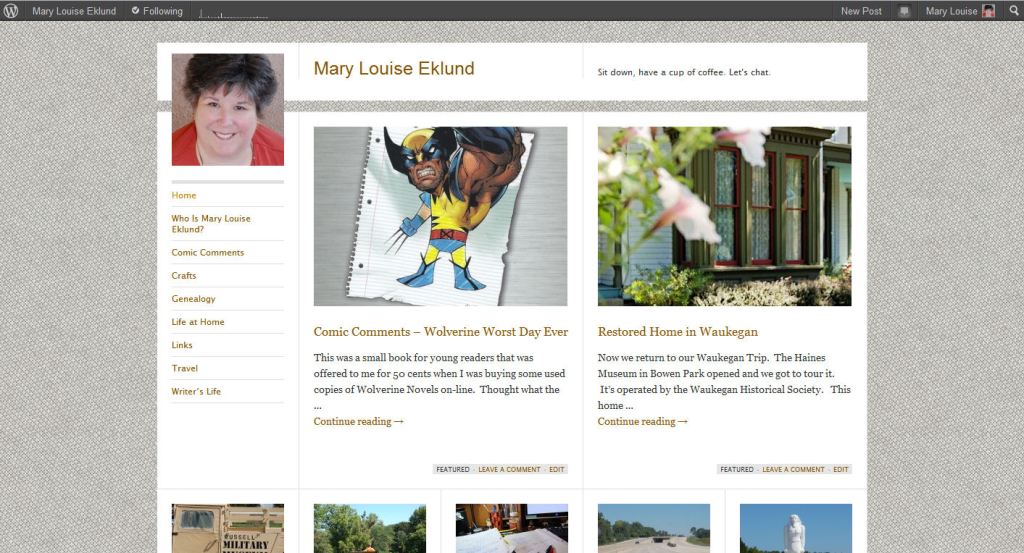
    One place I learned that was heavily weighted by the search engines is the tag line here are WordPress. Here’s a screen cap of my page to show you just what I mean by the tag line – it’s not the tags you mark on you posts.

     You see there where it says “sit down, have a cup of coffee, let’s chat” ?  THAT’S my tag line.  THAT is weighted very heavy by search engines.  I need to think of a new one that reflects those five points up there, need to highlight keywords in that line right there.  When I do those will be weighted more heavily and people looking for the things I write about in this blog can find me.

    That’s it.  That’s all I know about Search Engine Optimization and keywords.  I’m not an expert by any means just a novice.  I don’t want to go overboard in this but being aware and doing little tweaks here and there (like a good tagline) can help improve the number of people I’m reaching.

    I’m only half way through my class.  Took the midterm recently and made a 96% WOOT! I am sure I’ll learn more as I go.  I’ll be sure to pass on that knowledge.  As I said in my earlier post – explaining a concept to another helps me grasp it.  Trust me this aging brain of mine needs all the help it can get grasping things.

  • Search Engine Optimization and Key Words

    Search Engine Optimization and Key Words

    dictionaries open in front of a result screen from Google +

    The wonderful Tess Kahn (check out her blog How the Cookie Crumbles) suggested I share more about Search Engine Optimization or SEO as the cool internet cats call it.  I’m a total greenhand at this so I’m learning as I go in my WordPress class.  From my personal experience I know the best way to master something is to have to teach it.  Thus her idea is an excellent one.

    You know when you want to find something on the web you go to a search engine to look for it? Most of the world turns to Google but other power players are Yahoo, Bing, Ask, etc.  When searching you enter key words about the thing you want to read about.  Say you were wanting to know how to groom your pet rock – you might try “groom pet rock”  or maybe “pet rock grooming” instead of asking a full question as if you are on Jeopardy.   Those are the key words of the search.

    Now let’s imagine you are keeping a blog on the adoption, training, and care of pet rocks.  You’d want to be there on the top of the first page of that search wouldn’t you?  I mean here’s a fellow pet rock lover that wants to groom their rock appropriately!  Being aware that one important set of key words for your blog is pet rock – you’d want to be sure to use those words in your tag line, text of some posts, titles,  permalinks, image descriptions, image alternate text, tags and categories.  Not that you need to make sure every one of those has it every single time but use it naturally.  Maybe when your are tempted to say domesticated stones you  might consider using the term pet rocks instead.

    So now we sit here with our Pet Rock blog how do the search engines find us so that person looking for grooming tips knows about.  This is where very powerful programs with lots of magic (okay it’s not magic it’s code) goes out and looks for sites that use that word, have links to that word, use that word on the backside of stuff (areas programs see but not people so much), that is linked to from other sites previously marked as good pet rock sites.  That’s where this link comes in to play.  That’s the one my professor shared with us as a good tool to see our website as search engines see it.

    Search engines don’t go out and index just when queried.  Instead they are constantly spidering out over websites and indexing them.  That way when someone asks about pet rock grooming it goes to the index and pulls up what it has found as well as running quick queries out to previously good sources and their links.

    Let’s think about that for the Pet Rock Blogging Bloke – he’d want pet rock there in his top five results.  That would mean whenever anyone searched for something with the phrase pet rock his site would quickly appear in the search.  Now what else he’d want there might be pet rock adoption, pet rock care, Blogging Bloke, and maybe his Pet Rock Shop’s name.  So if anyone searched on any combo of those words he’d be at the top of the indexed results.

    Blogging Bloke doesn’t want to hammer his visitors over the head with repeated use of the same phrases.  That gets annoying and honestly the search engine spiders are programmed to discount over use of a term in certain areas.  So you can’t just make a post of repeating your 5 keywords over and over to pump up your indexing on those issues.  However using them well in the back areas can do that for you.
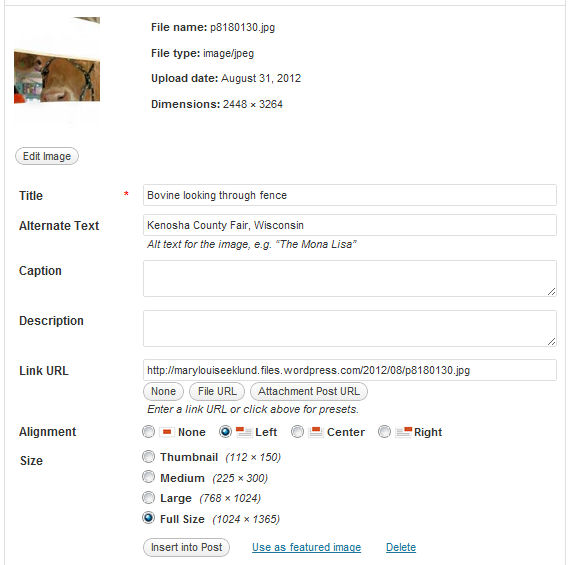
    Shows WordPress Image menu with all the fields

    Remember I did a post explaining what title, alternate text, caption, and description do in the uploaded image menu?  Well here’s another use for Description and Alt Text – putting in your key words.  Search Engine spiders read these fields but most readers don’t see/hear them.  Do keep in mind the Alternate Text is used by screen reading programs used by the visually impaired.  You can use your phrases here that apply to the image and it’s an extra boost to your indexing.
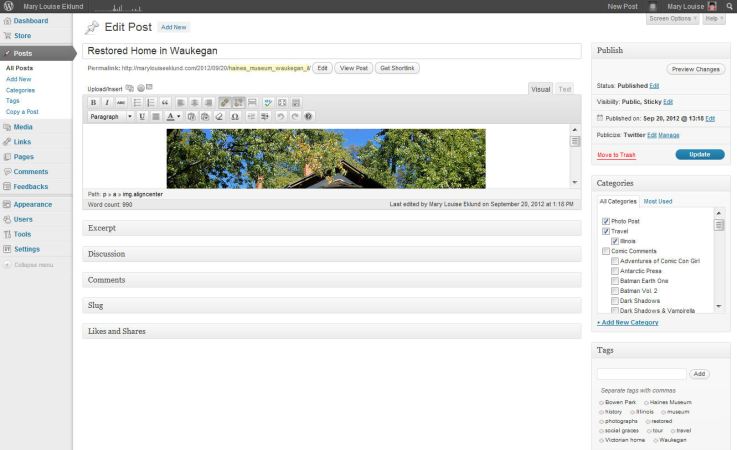
    View of updating a post on back end of WordPress

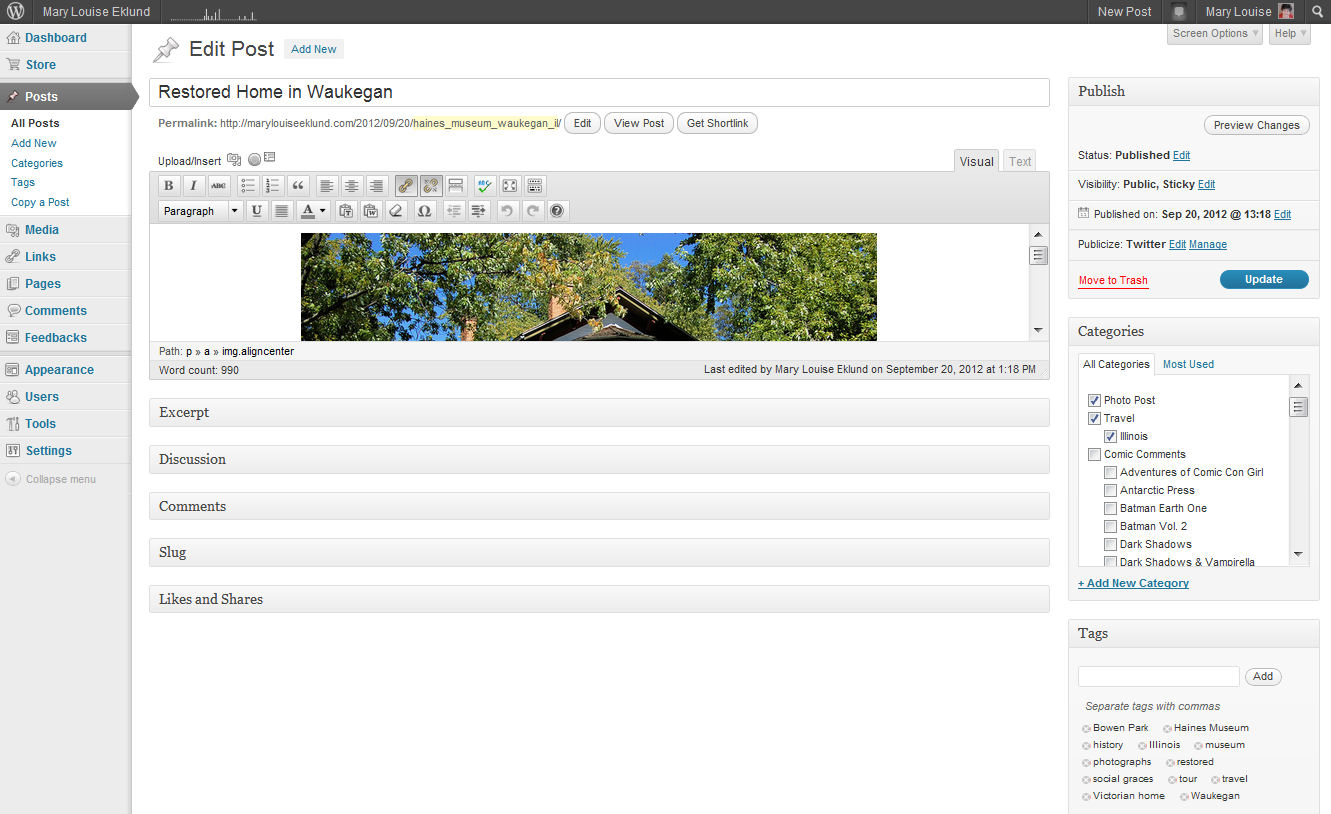
    Okay if you are WordPress user you recognize this as the dashboard side of WordPress.com.  Here we are in the update post screen.  Look at the yellow there below the title, that’s the permalink.  (you can click on the image to enlarge if you are like me with reading small print).  That is what shows up in the address bar of a browser.  By default WordPress sets this to reflect what you name your post.  You can change this to better reflect keywords of the post.  There just past the yellow is the edit button click on it and delete the title from open text box.  Then you want to put in keywords that you think would be used to search for a post like this.  Here in this case I put the museum’s name and location.  Remember urls can’t have spaces put an underscore (_) where you’d normally put a space.  Then save the change you made and there it’s got the keywords and now your title catches readers while your url  or Permalink catches search engines.

    This is getting long so in another post sometime in the next week we’ll talk about how to determine what keywords are best for you.  That’s really what I’ve been puzzling over for myself.  I’ll use me as a guinea pig for that post as I work through just how I want to better define my blog and website.
  • Asking For Your Help

    Asking For Your Help

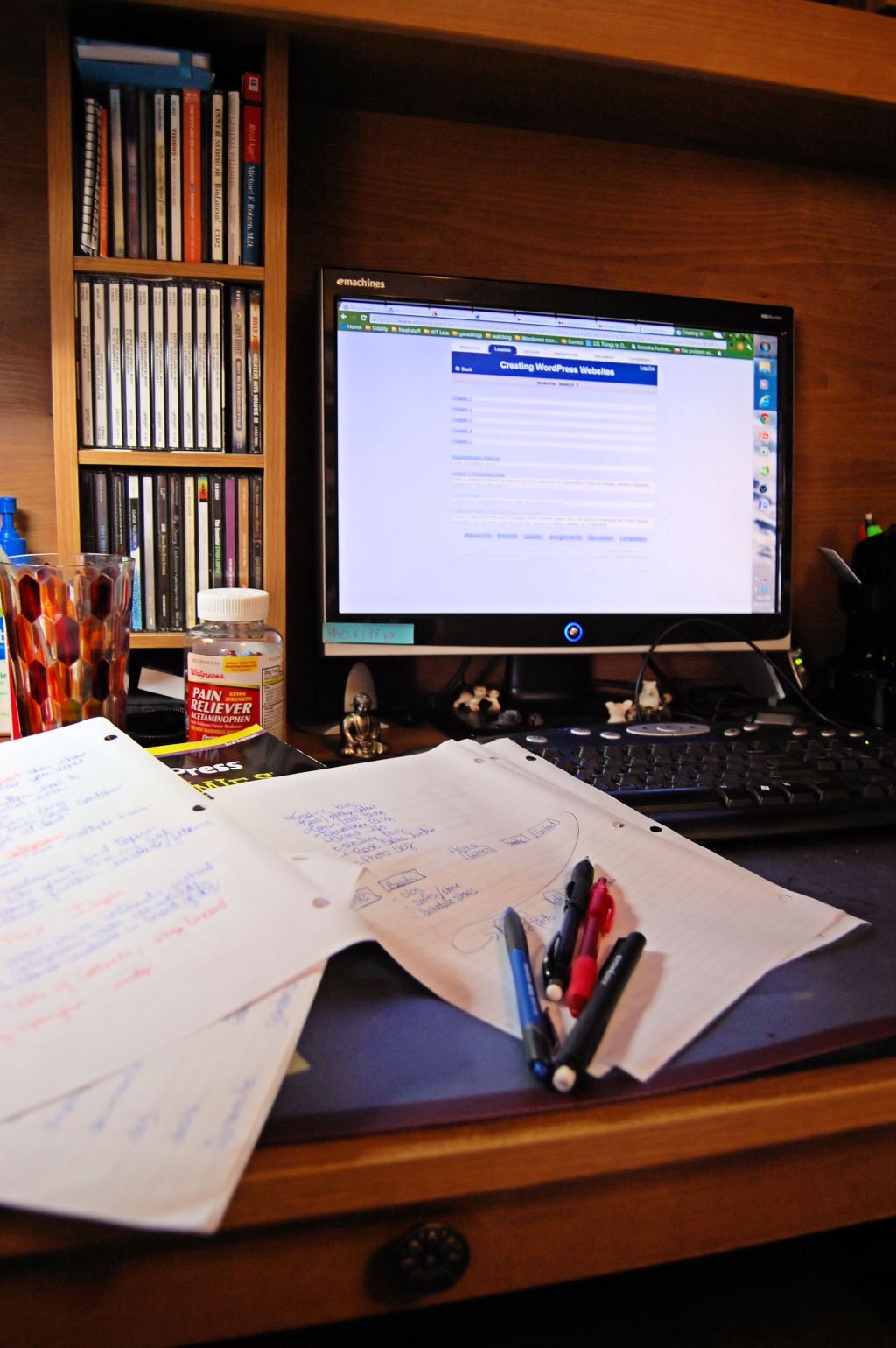
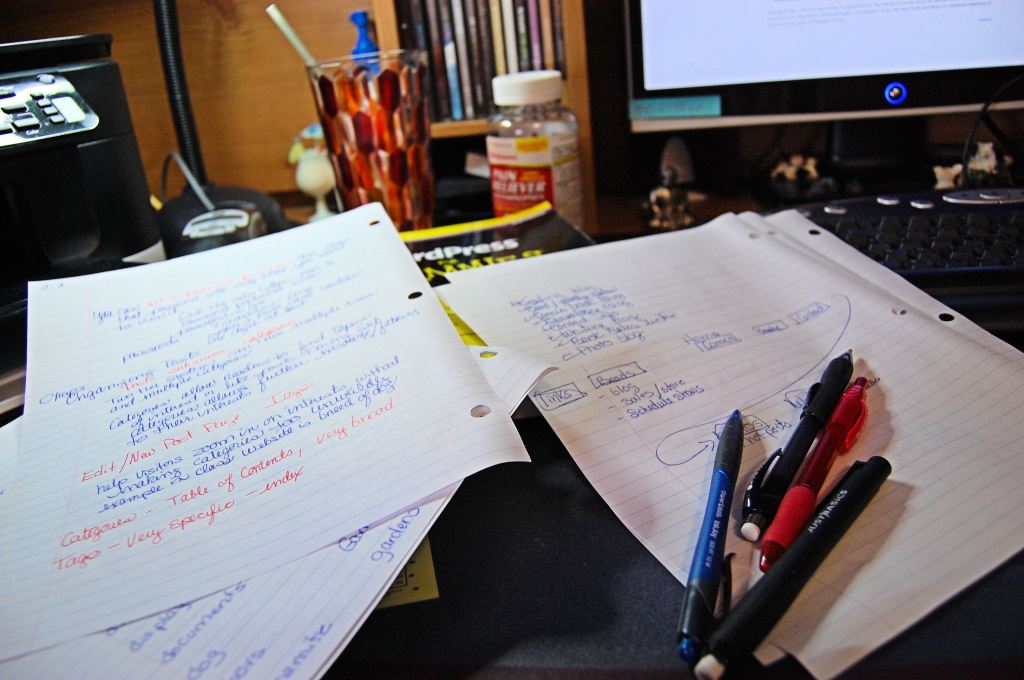
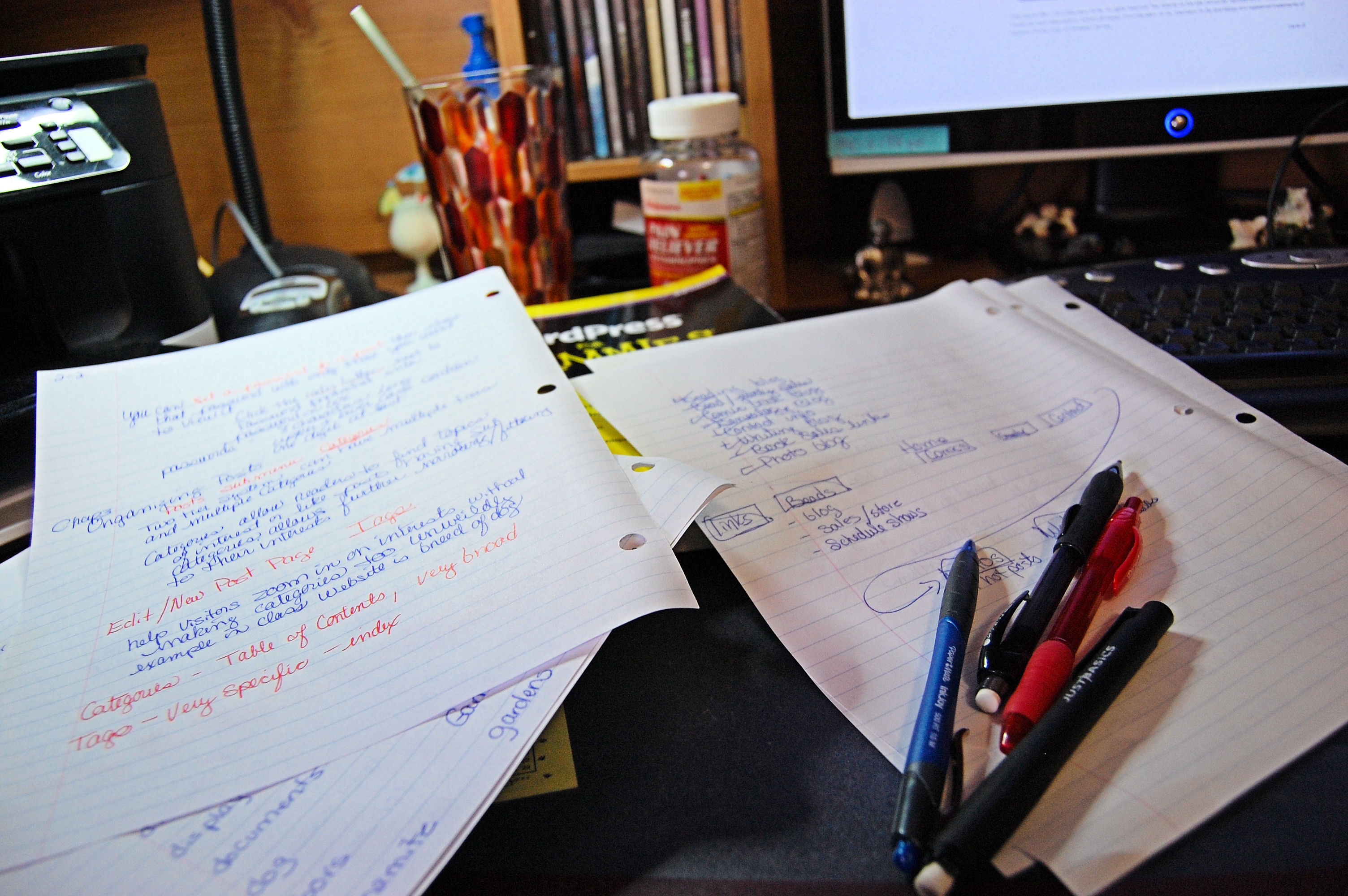
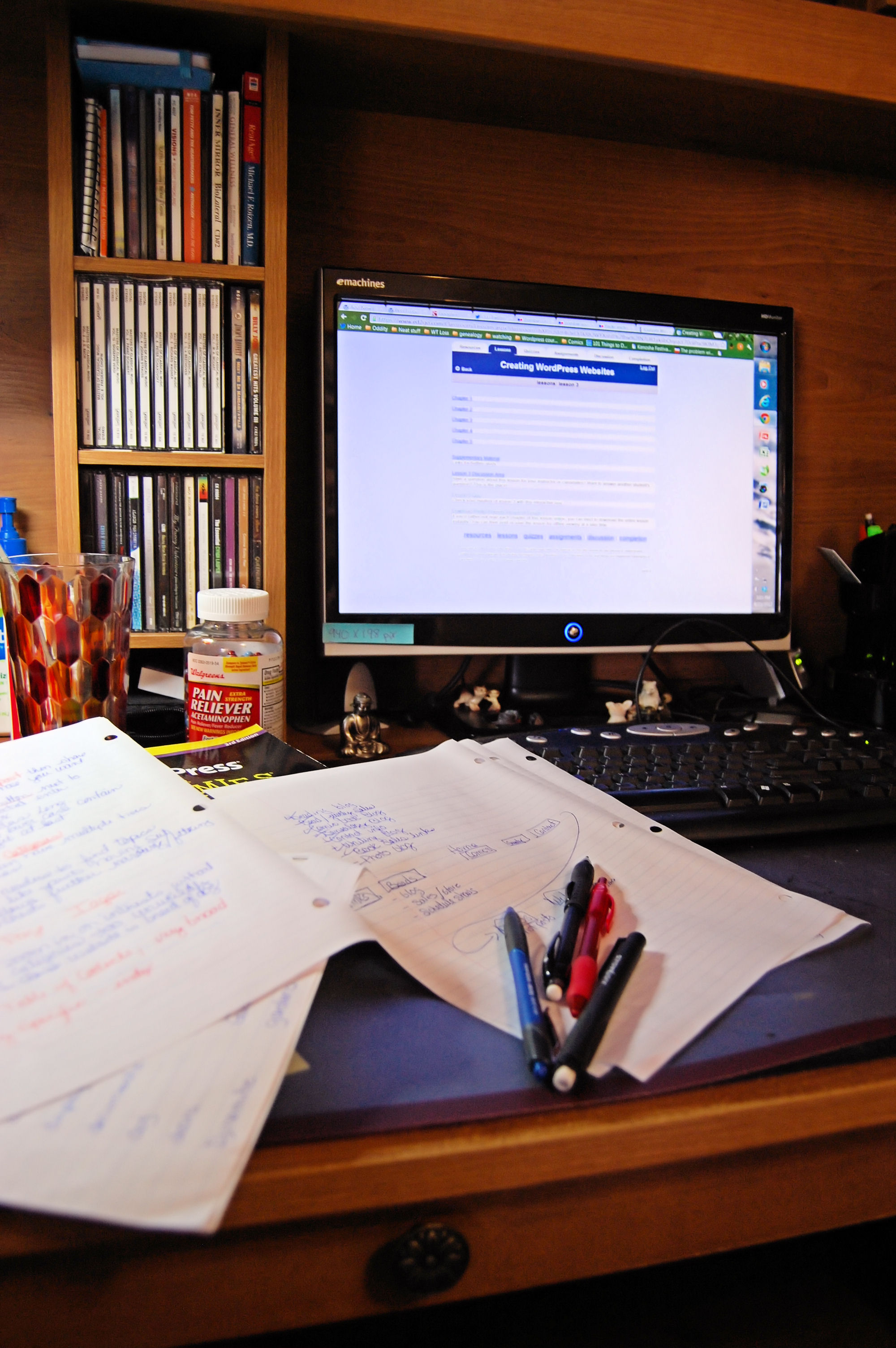
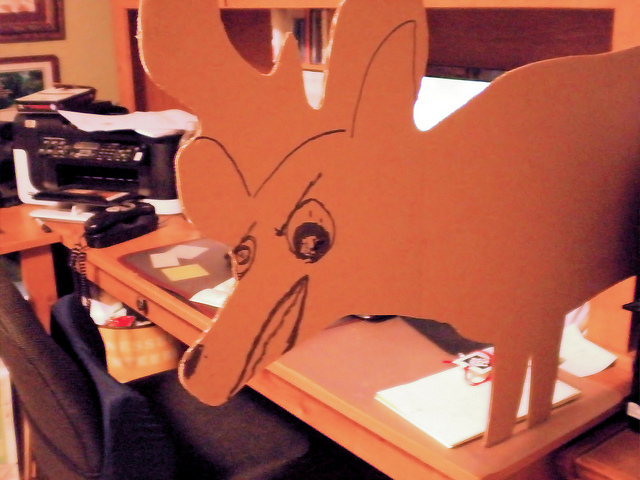
    shot of my desk with notes from WordPress class

    Wow, just completed another lesson in my class.

    I’ve got lots of thinkin’ to do.  (I’d posted this over at Google+ but thought I’d share it here too because any help would be GREATLY appreciated)

    This one was thinking about how search engines see your site.  We are now moving into the aspect of website design to increase traffic to your pages/blog.  This lesson was about keyword use and how search engine spiders look for good use of key words. They have algorithms that discount over use of keywords that wouldn’t be natural & would be deliberate spamming of spiders.   The assignment is to come up with five keywords for our website and work them in naturally to specific locations in the site.  This link was provided by the professor as a tool to see your  keyword usage  as a website spider sees it.  It’s free just put in your address and type in the captcha code to show you aren’t automated and in just a few seconds it generates a list of keywords based on typical search engine techniques.  WOW that was an eye opener to me.

    My top five were

    1. Comments
    2. Continue Reading
    3.  Mary Louise Eklund (good my name good)
    4. coffee let’s chat
    5. Comic Comments (good a repeating column like posting)

    Oh dear seems three of my top five aren’t great.  They are really blah stuff that every site should have.  I like my name being there and want it to be in the top five but I’m not sure what other words I should make an effort to incorporate regularly into text, titles, backside search engine fields, and such.

    Obviously too much weight is put on the tag line, that’s where coffee let’s chat appears ONCE but the weight it is getting is heavy.  I need to rethink my tagline to represent me.  My thoughts on my keywords are summed up in the following list in no particular order –

    1. photographer
    2. writer
    3. comic book fan
    4. hobby genealogist
    5. custom jewelry maker
    6. Mary Louise Eklund (gotta have name recognition).

    So if you’ve stuck with reading this whole post I must ask a favor in the comments.  Give me a list of 5 key words for me that you think represent me.  I just did a quick 6 there.  If you can’t do five then one.  If you can’t do one what  one from my list there do you think is the most important?

  • Alternate Text Field for an Image – SO THAT’S WHAT IT DOES!

    Alternate Text Field for an Image – SO THAT’S WHAT IT DOES!

    Again I’m learning things about WordPress as I work through my course.  I’m the geezer of the group by age and with the oldest blog.  So assignments that are related to doing things on our personal blog are much time intensive for me than others.  That’s okay I’m there to learn to do it right and correcting all my posts is part of the upgrade process.

    I’d say we’re all familiar with the pop-up image menu that happens when you place an image in your post.  Here I’ll just grab a random image in my WordPress Media Library:

    Shows WordPress Image menu with all the fields

    I don’t know about you but I’ve always wondered just what Alternate Text and Description do. I know Title is what pops up when a mouse hovers over the image in a post.  I know caption shows beneath it when posted.  I didn’t know what the other two fields did.  Now I do.

    Description is for the back-end of the blog administrator’s information.  It tells them more about the image.  You can use it to note title of posts that use the image, more about the image than contained in the other fields, or whatever you want.

    However Alternate Text is another beast all together.  I’ve almost always left it empty until I learned its function.  There are three reasons it should be filled in:

    1. It is the descriptive text used by screen reading programs used by the visually impaired.  There are special programs for the visually impaired to aid their using the internet this field is picked up by those programs and read to the person.  It is intended to describe the image to them or provide more information than just the short title.
    2. This is one of the two fields search engines use to index images on a website.  Search engines pick up this and the title field to index an image.  Proper use of the Alternate Text field can increase the number of hits to your post.
    3. This displays in some countries when the user opts to turn off images.  Say you are somewhere you have a slow connection you may opt to turn off images then this text displays for the same reason the visually impaired screen readers look for it – it further describes the image to someone who doesn’t see it.

    Our assignment was to go through all our images contained in our post and ensure the Alternate Text field was completed.  For me that was over 108 posts with many images in each post.  I did it.  It took three days but I did get some description contained in the field that added to the title.  Not as much as I would like given the first reason up there.  But there are limits on my time and I figured something was better than nothing. I vowed to pay more attention to the field going forward.  I’ll try to give a description for the visually impaired of what the image contains.  I don’t know if it applies to any of my readers but if anyone needs it I want it to be complete.  Sure the search engine indexing is nice but to me the real reason to do a good job there is to provide a good experience for all my readers not just those with good eye sight.

    With that assignment  completed I’m starting my three-day weekend.  We are going car shopping.  Then we’ll find things to do around here and I’ll make pictures to share.  Have a great one folks!  Until next time!

  • Almost Done Spiffing Up The Place

    Almost Done Spiffing Up The Place

    hallway
    Milwaukee Art Museum by me

    Welcome back to the new and improved marylouiseeklund.com. I’ve put my WordPress class lessons to use around here. First off I’ve updated the layout as you can see. Ohh click on my photo there on the right and you’ll go to my home page! (or you can be boring and use the home link in the menu)

    Also you can hover your mouse over the new menu that has fly outs and drop downs for three whole tiers! There are great new pages established such as Contact me there in the About Me menu.

    I’ve added a Links page with a few of my favorite links and my comments about them. I’m working on a Blogroll page. That one is much longer and takes a more work but it’s progress watch for it to appear there on the left.

    The Archives are now on the right when you open a post. See it there —-> the calendar looking thing? That’s it.

    Each post now has a feature photo that’s mine, or used by Creative Common license, or a scan of a comic used under the Fair Use allowance of Copyright material for commentary and critiques of said work. (I never use more than 3 pages total from a comic.)

    I’m sure there will be more tweaks as the weeks go by and I learn more. Yet I think it’ll build on this framework I’ve established this weekend. So keep your eyes open. Shout out what you think of the changes and I’ll return to my regular posting tomorrow. That’s all go enjoy investigating what I’ve done with the place.

  • Don’t Mind My Dust

    Don’t Mind My Dust

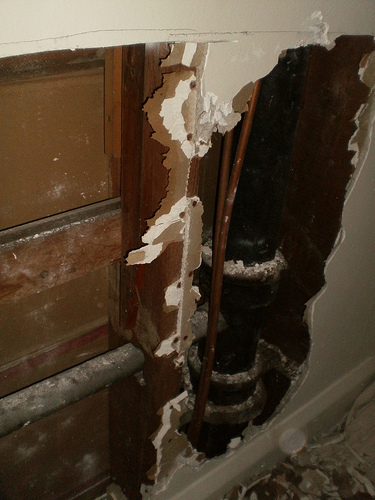
    plumbing behind my bedroom wall
    Not what it really looks like behind the scenes but what it does in my imagination.

    Today I am home alone. Unusual for a Saturday but I don’t mind. After Lesson 4 in my class I’ve got ideas buzzing about in my head for spiffing up the place around here. Today I’m trying out things. Don’t worry if you come here and things are changing drastically from one page to the next. I’m tinkering with stuff behind the scenes and then look at it up front. IF you see something you really like give a shout out – “HEY! I really liked – That slide show of posts” the same for the reverse “The slide show made me dizzy don’t like that.”

    Any way things will settle down after today until next lesson. I think then the tweaks will be smaller that today’s total revamping.

    Oh check out the menu bar up top there – yes it has drop down choices from the primary choices then fly outs from the secondary to tertiary choices. I worked on that yesterday and felt very proud of myself I might add. VERY PROUD. **nods satisfactorily**

    So pardon the mess but know improvements are coming!

  • Oh The Things I’m Learning, The Places This Blog Is Going To GO!

    Oh The Things I’m Learning, The Places This Blog Is Going To GO!

    my desk

    So lesson 3 is complete in my first WordPress class.  I have finally learned how to make pages!  I know uber simple but I didn’t get how they were organized and nested.

    This class works in two ways.  One is we have our class project site.  We each open and create the same website for a faux animal rescue.  (mine is here if you are curious). There we carry out the assignments on setting up the site. They are all just alike but it is a way for the prof to see that we are getting the assignments and mechanics of the lesson. The other part is to start applying what we’ve learned to our own site.

    That’s where the changes you’ll be seeing over the next few months come into play. The first change is I’ve categorized and tagged all my posts. That was a big assignment for me because I’ve got 100 posts as of this one. The others in the class have just started their WordPress sites and have at most 10 posts. Heck I’ve even got first tier and second tier categories but doesn’t show in this style. I’ll be changing that up later I think. You can look to the right column there and see what I’ve done.

    (more…)

  • Back To School Yet Again

    Back To School Yet Again

    Kindergarten school picture

    Back to school was always an exciting time for me. For most of my life I welcomed it. It was a time to get to see people of my own age on a regular basis. Living out where we did I didn’t see my friends as much as I wanted in the Summer. I envied city kids on TV who could walk out there door and BOOM! there were their friends and in a short walk together they could be at school. For me to see friends it took planning. The trip home from school was over an hour on the crowded school bus as it wound in out of tiny country lanes to drop off a person here and there.

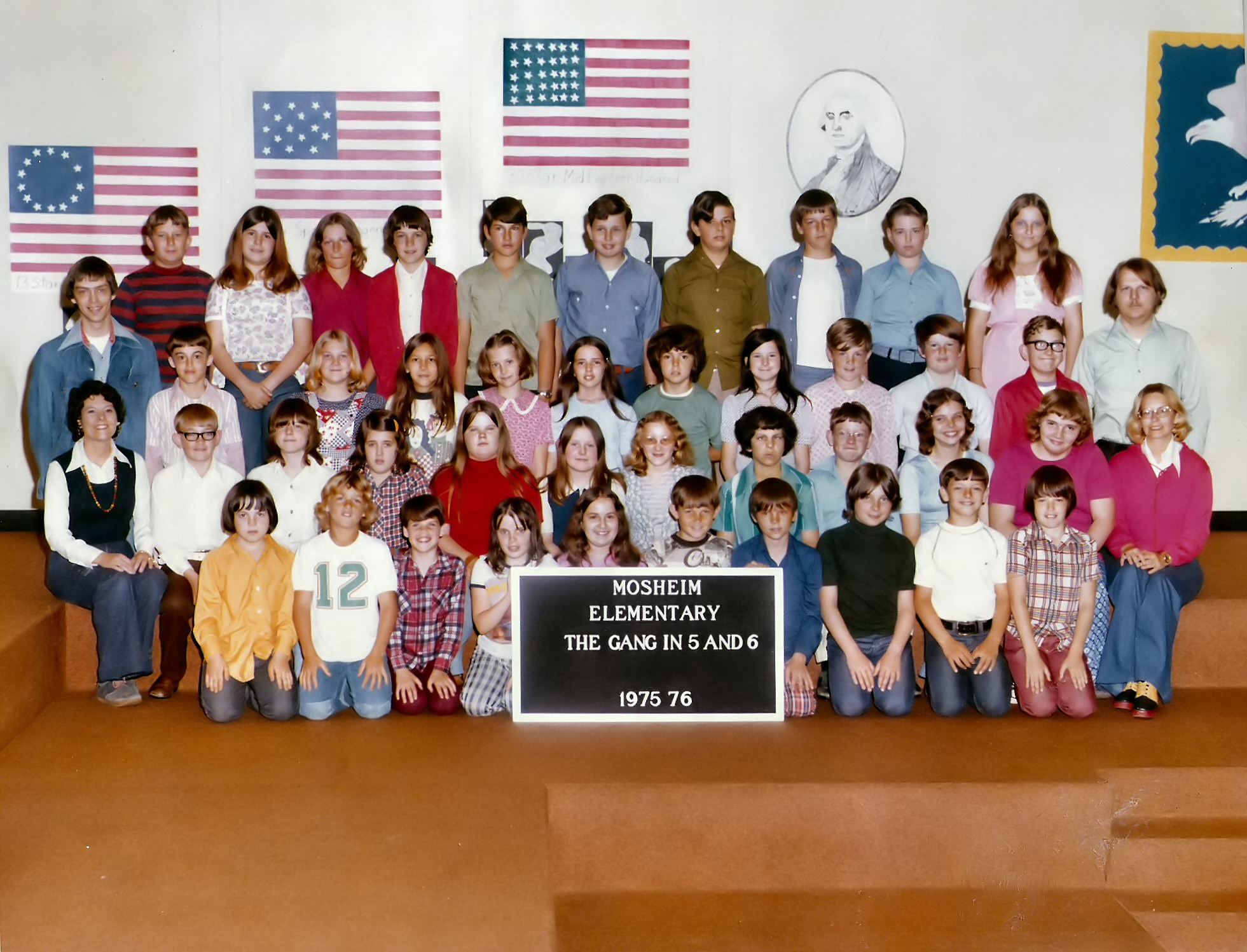
    Class Picture
    That’s me back row second from left. I have on the light shirt and have shoulder length hair.

    College for me was an exciting time in the big town of Knoxville. Going home to puny Greeneville paled in comparison. Heck there wasn’t even a midnight showing of Rocky Horror! GASP! Most of my high school friends didn’t go to UTK like I did.  I’d made a whole new set of friends (and a boyfriend that became my husband) that didn’t just scatter across the state for the summer but the world. Once I moved into an apartment I went to summer school in college. Honestly I liked that better than regular quarters. It was smaller classes and closer knit group but I was also an upper classman by then so who knows.

    Junior Yr High School picture

    Then my next school experience was at Western Michigan University. It was different this time – I was working and paying my own way. I loved it. I liked the organization of it. I liked learning new things. Heck I even like the stuff of school pens, paper, books, and such. I went from the social aspect being the strongest attraction to learning being the big attraction.

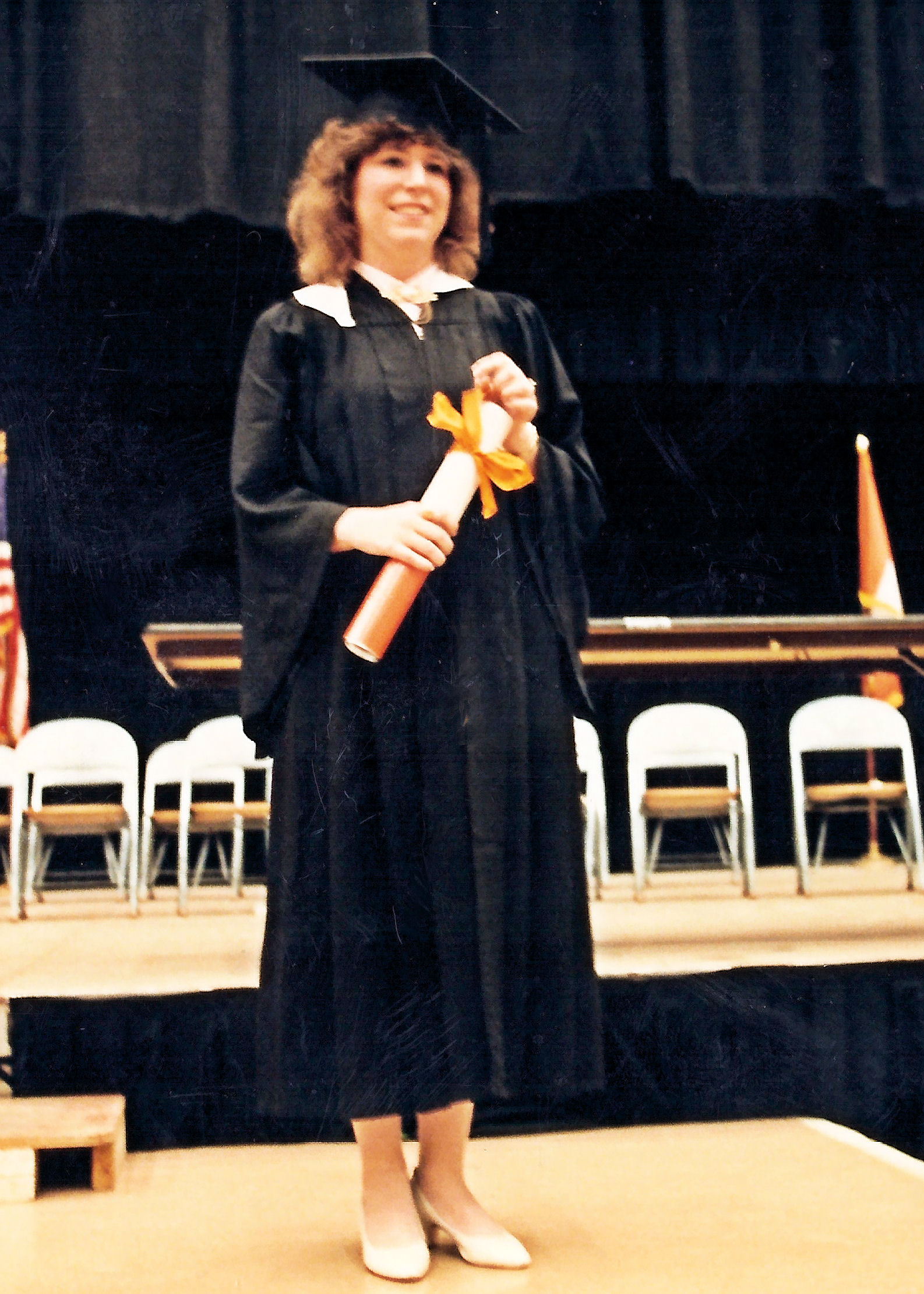
    Photo with diploma

    From there life has been a series of seminars, self teaching, parenting a school age child, on-line classes, and supporting Mike’s various graduate degree processes (he’s gotten three so far). I think I turned to writing because I love the research it takes to write fiction well. I like learning new things then exploring them in my writing.

    Blue dress in yard at Kalamazoo

    Now it’s time for my new experience. I’m taking an on-line class on how to use WordPress. I know I use it regularly here but I feel I under use it immensely. I know there are many resources out there to learn how to use it but they haven’t quite fit my need. I love the structure of school learning, remember? I want one lesson to build on the other. I’ve tried books but never found one that worked well for me either moved WAY TOO SLOW or WAY TOO FAST. Finally I looked about at local schools and found that University of Wisconsin Parkside offered two on-line classes, WordPress 101 and 102. Looking them over 101 starts out basic (how to set up a blog on WordPress, got that check) but ended past my knowledge. That’s where I started it moves fairly fast looking at the syllabus. My first week starts – TODAY!

    Me today my photo

    I am looking forward to getting more out of WordPress and spiffing things up around here. Making the place more my own, kinda like I did in a dorm room or college apartment. But this means a few things for you dear reader… you might experience some assignment posts. Don’t worry they’ll not be painful, nothing required on your end but a look-see, and there will be NO POP QUIZ at the end of them. Next my new routine posts might not be daily now, depends on the workload. I’d like to keep Comic Comments daily until my backlog of arcs has been worked through but, I’m making no guarantees here until I see how class fits into other required life things. I’d like to get no lower than three a week on those. Photo posts are up in the air, I’m getting slim on new photos and have to get out there to get more of them. So again it depends – I’d like to stay at least weekly on those.

    There you go I’m going back to school today. I’ve got a new notebook, new pens, new paper, my computer, and my blog. I’m set to learn!